






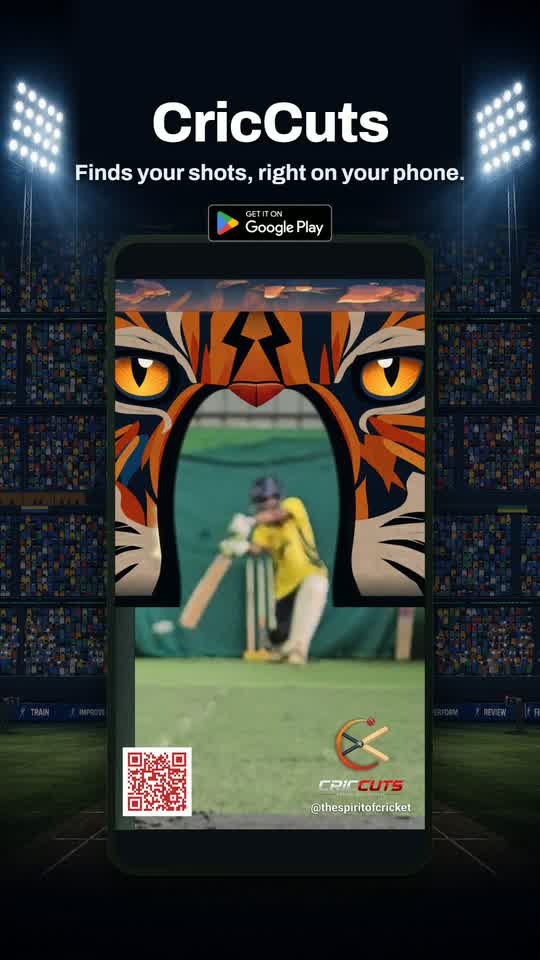
CricCuts analyses every key moment in your training & match footage and packs the best events into a clean reel — ready to share instantly with your coaches and fans.
Point it at your raw session video. It does the rest — the boring rewinding, scrubbing and cutting just disappears.
A small AI model listens on-device and pinpoints the bat-on-ball impact in seconds — even in a busy net with shots flying next door.
It sorts the real shots from the duds and cross-talk, and packs your best moments into a reel that fits the length you ask for.
Review every pick on a clean timeline, tap to teach it what's real, trim clips, then export. Nothing is decided for you.
No upload, no account wall, no cloud bill. The AI analyses and renders your footage entirely on your phone — saving your data plan and skipping the wait on a server queue.
Export a watermarked MP4 straight to your gallery and share to any app — ready for the group chat or your socials.
Because everything runs locally, there are no data-centre round-trips. The app even tracks the CO₂ you save with every export.
Cropping to Reels, a 4:5 post or Square usually lops the batter — the whole point of the clip — off the top. CricCuts uses AI to reframe around the batter, so the moment that matters stays in shot at any aspect ratio.
Give the big shots the slow-motion treatment, or add an action-replay of the contact — then join your clips with a clean cut, a dip to black or a highlights-style flash. The finish a match reel deserves, in a couple of taps.
Drop in one or more recordings from the same session — CricCuts stitches them into a single highlight reel.
Pick your videos and drag a slider to mark when you were actually batting.
An on-device AI model finds and shortlists your best shots in seconds — no upload, no server queue — while you watch a cricket-fact loader.
Skim the timeline, tap a handful of samples to fine-tune, and set your reel length.
Render a watermarked MP4 to your gallery and send it anywhere.
From a DSP-and-AI detection engine to surgical one-tap cuts and platform-ready exports — here's everything CricCuts gives you, all running on your phone.
Tap a single shot and TokTok hands you a share-ready clip cut tight around the exact bat-on-ball moment — the kind of precise edit that used to need a pro, done on your phone in seconds. No timeline, no scrubbing, no editing experience.
The whole setup is a single action: draw a box around the batter. That's the entire learning curve — simple enough for a child to do — yet what runs behind it is built for the messy, real-world footage you actually film, from one phone in the nets to a multi-camera match shoot.
Advanced DSP paired with cutting-edge AI models, fine-tuned to detect the moments that matter in cricket — and built to hold up in the real, messy conditions you actually film in.
Every detected moment lands on a clean, reviewable timeline — nothing is decided for you.
On-device speech recognition tags your clips by what the commentary actually says.
Reels go out branded and baked-in, so they stay yours wherever they're re-shared.
Drop a scannable QR onto the video so anyone watching can find you in one tap.
Reels, TikTok and Instagram posts all crop to a taller or squarer frame — and that crop routinely slices the batter, the most important thing on screen, right off the top. CricCuts fixes it: it reframes each clip around the batter using on-device AI, so your subject stays in shot whatever platform you're cutting for.
Turn a clean strike into a proper highlight. Add slow motion through the moment of contact, an action-replay of the shot, and a transition that carries one clip into the next — the polish that makes a reel look edited, done in a couple of taps.
One-tap presets or full manual control over how your reel is rendered.
CricCuts isn't only a highlight cutter; it's built to make you a better cricketer and a smarter student of the game. Even the loading screen is time well spent, and the whole app is grounded in the science of learning from watching yourself. Everything here works offline — from the nets to a no-signal basement ground.
While the AI scans your footage, CricCuts serves up training tips, cricketing facts and the odd life lesson — so even the wait leaves you a little sharper instead of just watching a spinner.
Watching your own footage fires the same motor circuits as batting (mirror neurons), and your brain learns from the gap between what you felt and what you actually did. That's why reviewing yourself beats being told — and why CricCuts is a must-have for anyone serious about improving. Read the neuroscience →
Cricket facts and quick tips, the full Laws of the Game (searchable, from the no-ball to the Mankad), and a glossary with field positions — a pocket reference for players, parents and budding umpires. All on-device.
Rain interrupted the chase? Work out Duckworth–Lewis–Stern revised targets and par scores in seconds — fully offline, so it works mid-match even with no bars of signal.
Most of a great reel is decided before you open the app — by how you filmed. Here's what actually matters, and what to do when a pick isn't right.
Yes — download a free five-minute clip of a real net session, with genuine bat-on-ball sound, and run it through CricCuts to see how it finds and cuts highlights. It's the kind of footage the app is built for, so it's the quickest way to watch a reel come together before you film your own. You'll also find it inside the app, under the FAQ.
Put the phone somewhere it can stay put, start recording, and leave it alone until you're done. One long, unbroken recording of a fixed view does more for your reel than a newer phone or any setting in the app. Frame it wide enough that the batter stays in shot through the whole shot — then don't zoom or re-aim.
Anything that holds the phone still — a tripod, a clamp on the net, a kit bag, a water bottle. Filming handheld is the weakest option: the constant small wobble makes the picture harder to read, and a big correction looks a lot like you moved the camera.
CricCuts handles it — it notices the view changed, splits the footage into separate camera angles and asks you to check each one. But it's still better avoided: a camera move creates a burst of movement and noise that can look like something happened. If you must move it, do it between balls, never mid-delivery.
Chat between balls is fine — the reactions are part of what CricCuts looks for, and keyword tagging listens to the commentary to label clips "four", "six" or "out". What hurts is noise landing exactly on the ball: a shout or a clap at the moment of contact can cover up the shot. Save the loud stuff for a beat after.
It's the hardest case, and worth setting up for: a good shot in the next net sounds almost exactly like a good shot in yours. Draw a snug box around your batter, set where you filmed from and switch on "I can hear others" (Batter mode), and curate afterwards to drop the strays. If you have a say in it, film from an end where the next net isn't directly behind your batter.
Yes — and tell CricCuts which it was, because picks land more accurately when it knows. Side-on is the safest all round and the easiest to box; behind the batter works well too. The bowler's end is trickiest, since the batter is small and far away.
No — film normally. Slow-motion modes on most phones drop or stretch the audio, and sound is how CricCuts finds the ball, so a slow-mo clip can come back with nothing found. Ordinary video at your phone's default quality is exactly right. No need for 4K.
No. CricCuts tunes itself to each session, so a quiet net and a loud ground both work, with nothing to configure. Just give the mic a fair chance — out of direct wind, and not covered by a bag strap.
Neither, quite: tight in width, generous in height. Aim for a tall, upright, portrait-shaped box on the whole batter, head to toe, with room to stay inside it through the shuffle, stride, downswing and follow-through. Width is where people go wrong — a box stretched sideways pulls in the next net and the bowler's run-up, and shrinks the batter to a small part of the picture. Snug on the sides, roomy top to bottom.
No — it's optional, and CricCuts finds your highlights from the sound of the game without it. It's most worth doing when there's more than one batter in shot, when nearby nets are also batting, or when you want the reel built around one player. On clean single-batter footage, feel free to skip it.
This mostly happens on multi-net footage, where a box is required and a blind auto-detect has too many batters to choose from. Draw a rough box around the general area yourself — it's fine if the bowler or the next net creeps in — then tap Auto-detect again. It fits a tight, padded box on your batter specifically within the area you drew.
Check it, then confirm it. CricCuts jumps to the batter's stance at the first real delivery and draws a box there, which is right most of the time — but it's a suggestion, not a decision. Make sure the batter sits properly inside and the shape looks tall rather than wide, and drag to adjust if not.
That usually means a camera move slipped past the detector — most often when you paused the recording and repositioned between shots, which leaves no gradual motion to catch. The boxes are first guesses, so check each angle: scrub the frames it suggests and make sure the batter sits inside. If not, draw a fresh box on that frame with the "Camera moved part-way? Add box here" button and CricCuts splits the footage there and re-tracks the batter automatically.
Nothing is thrown away, so it's still there. The review list shows everything found, strongest first — scroll and tick it. Or use Find more, which walks you through strong moments not yet in your reel. Quiet contacts — soft hands, a gentle push, a nick — are the usual ones to go looking for.
Untick them, or use Filter current to review your weakest picks one at a time. The usual culprits are the camera being moved, someone walking past the lens, a shout right on the ball, or the next net. A few taps re-rank the rest to your taste — and undo has your back.
Your target reel length. CricCuts ticks the strongest moments that fit the time you asked for and leaves the rest visible but unticked. Raise the target for more, or turn it off to keep everything. Anything you tick by hand stays ticked.
It's how likely CricCuts thinks that clip is a real delivery — the headline number on every card. It's colour-coded so you can skim: green is very likely (70%+), down through to grey for very unlikely (under 30%). The signal bars below it — Power, Appeal, Run-up and Motion — show what fed that score.
A beaten delivery is one where the bowler beat the bat — a play-and-miss, the swing but no middle. CricCuts tags those separately from Power moments (a solid, loud contact), so on the Review screen you can filter to ⚡ Power hits or 🎯 Beaten deliveries. Handy if you're after a bowling reel rather than a batting one.
Every moment is a dot. The higher a dot sits the stronger a pick it is; the bigger it is the harder the ball was hit; and a green ring means it's already in your reel. The colour shows whichever measure you choose from the dropdown — Delivery probability, Beaten chance or Overall score — running white (low) through pink to red (high). Left to right is time through the session.
Yes — it's the Effect control on the Review & Trim screen: icon buttons beside the preview (tap Apply to all shots to set every clip at once). Slow-mo eases the video through the moment of contact and speeds back up; Replay plays the shot, then a slow-motion action-replay of the contact. Set how slow with Speed (0.5×, 0.35× or 0.25×), reel-wide or with that clip's own slider, and how much of the clip slows with the Slow-mo length slider, drag the teal band on a single clip to override it, and turn on Auto-focus replays to zoom into your batter. The preview now plays it live, so you see exactly what you'll get, and it's baked in when you export — looks smoothest on 60fps+ footage.
With that clip set to Replay, two buttons appear above the preview. Pin re-targets the zoom to whatever frame you've scrubbed to (it becomes "Pinned", with a Clear button to undo); Draw lets you draw the box by hand when nothing auto-detects, and takes priority over anything auto-detected. It's easiest to draw precisely in full-screen mode.
Yes — Transitions on the export screen sets how one shot joins the next across the reel: a straight Cut, a Dip to black that fades through black, or a Flash of white for a punchy highlights look. They add practically nothing to the export time.
No. Never. Your footage is analysed and cut entirely on your phone — not uploaded, streamed or copied to a server, with no setting that changes that. It isn't a promise about how we handle your data; the videos simply never leave the device.
The part that matters does — finding highlights, cutting and exporting all run offline, as do the Academy and the DLS calculator. A connection is only needed for occasional extras like signing in and downloading the commentary keyword model the first time. In the nets with no signal, you're fine.
Your phone is doing the work a server would normally do — that's the trade for your footage never leaving it. Expect a minute or two for a typical session. To speed it up, trim to just the part where you were batting. It's fine to leave it running with the screen off.
Nothing is lost — CricCuts picks up where it left off. Your session list shows exactly what stage each one is at, so just tap it to carry on. If the deeper video pass specifically was cut short, reopening it asks whether to restart that pass or review your audio-only picks, which are already there and usable.
A rough estimate of the emissions you avoided by cutting your reel on your own phone instead of uploading the raw footage to a cloud editor — sending the whole original video over the network and processing it on someone else's servers both cost energy that on-device editing doesn't. It's shown on the Export Complete screen alongside your clip count and reel length.
Yes — add your Instagram handle to print under the watermark, drop in a link and it becomes a scannable QR code on the reel, and tag the players and the ground. Finished reels save to your phone's Movies folder, ready to share anywhere.
Answer a few quick questions and we'll send you the latest build plus tips tuned to your game. Takes under a minute.
Get early access →Install the latest build directly. You'll need to allow installs from your browser the first time — standard for apps outside the Play Store.
CricCuts is free and built by a solo developer — spinning batter on weekends and spinning up apps on weeknights, fuelled by billions of AI tokens and a lot of black filter coffee. If it's saved you time, a coffee genuinely makes my week.